

The Friendly Sabotage: How Social Engineering Can Trick Users into Disabling Their Own MFA
- echoudhury77

- Apr 16
- 3 min read

In cybersecurity, we often focus on high-tech "zero-day" exploits. But in 2026, the most effective tool in a hacker's kit isn't a line of code—it’s a convincing lie.
While Multi-Factor Authentication (MFA) is a powerhouse of defense, it has one major vulnerability: the human being using it. Here is how a user can be duped into turning off the very thing keeping them safe.
1. The "Helpful" IT Impersonator (Vishing)
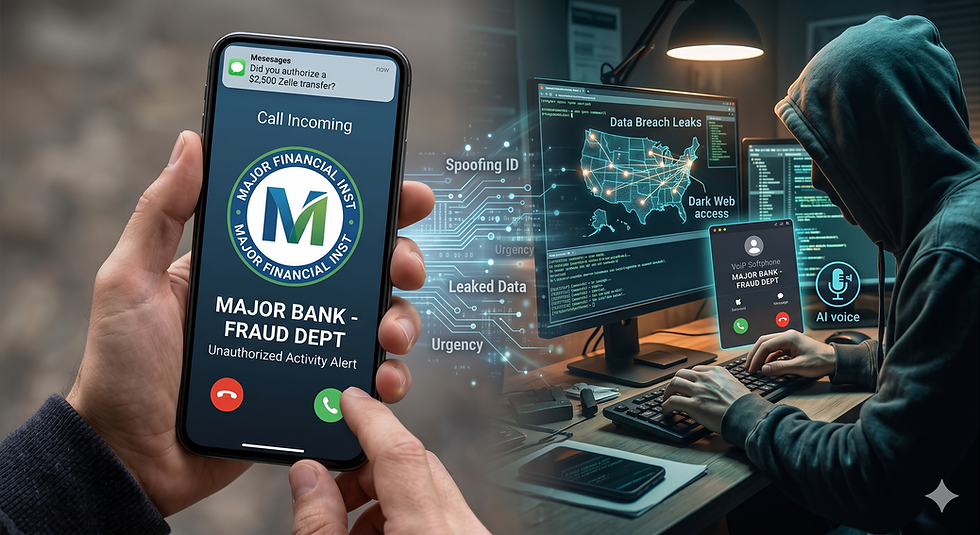
This is the most common and dangerous tactic. An employee receives a phone call from someone claiming to be from the "Company IT Help Desk" or "Microsoft Support."
The Hook: The "technician" sounds professional and already knows the employee's name and department. They claim there is a "syncing error" or a "security update" that isn't pushing through to their account.
The Request: "To fix this, we need to temporarily reset your security profile. I'm going to send you a link to our 'Self-Service Portal.' Just go in, toggle MFA to 'Off' for five minutes so I can run the patch, and then we’ll turn it back on together."
The Reality: The "Self-Service Portal" is a phishing site. Once the user disables MFA on their real account, the hacker (who already has the user's password) immediately logs in, changes the recovery email, and locks the user out permanently.
2. The "System Upgrade" Email
Hackers often use company-wide transitions (like moving to a new version of Teams or Outlook) as cover.
The Hook: An email that looks like an official HR or IT announcement states that the company is "migrating to a new authentication standard."
The Trap: It claims that to "validate your identity" for the new system, you must first "de-register your current MFA device."
The Result: The user, wanting to be compliant with company policy, follows the instructions. The moment the MFA is detached, the attacker—who has been "squatting" on the account credentials from a previous leak—pounces.
3. Exploiting "MFA Fatigue" Frustration
Hackers sometimes use a "Good Cop, Bad Cop" routine with technology.
The Bad Cop: The attacker triggers dozens of MFA push notifications to a user’s phone in the middle of a busy workday (or at 2:00 AM).
The Good Cop: A "support agent" then messages the user via Teams or SMS: "Hi Brian, we see your account is glitching and sending constant MFA pings. Sorry about that! To stop the buzzing, just log in here and disable 'Push Notifications' until we can fix the server tonight."
The Result: In a moment of sheer annoyance, the user disables the protection just to get some peace and quiet, inadvertently opening the door for the attacker.
4. Malicious "Self-Service" Apps (Consent Phishing)
Sometimes, the user isn't told to disable MFA, but is tricked into an action that makes MFA irrelevant.
The Hook: A user clicks a link for a "New Employee Rewards Dashboard" or "Mailbox Cleanup Tool."
The Trap: A legitimate Microsoft 365 permissions window appears, asking the user to grant the app "permission to manage security settings."
The Result: If the user clicks "Accept," they haven't just signed into an app; they’ve given a malicious program the administrative right to modify their account settings—including the ability to disable MFA or add a hacker’s phone number as a backup.
The "Firestorm" Defense: How to Stay Safe
How do you prevent your team from being "too helpful" for their own good?
Verification is Mandatory: IT will never ask you to disable MFA over the phone or via an unsolicited email. If you receive such a request, hang up and call your IT department back using a known, official number.
Use Hardware Keys: FIDO2 keys (like YubiKeys) make it much harder for a user to "accidentally" disable or bypass protection because the physical key must be present for changes.
Internal Communication Standards: Establish a clear "Verification Protocol." If IT needs to do maintenance, they should use a pre-agreed-upon internal channel that hackers can't easily spoof.
Pro Tip: If a request makes you feel rushed, confused, or annoyed, it’s likely a social engineering attempt. Step back, take a breath, and verify.
Is your staff trained to spot a "Helpful Hacker"? Firestorm Cyber provides social engineering simulations that teach your team how to say "No" to a scammer.

Comments